

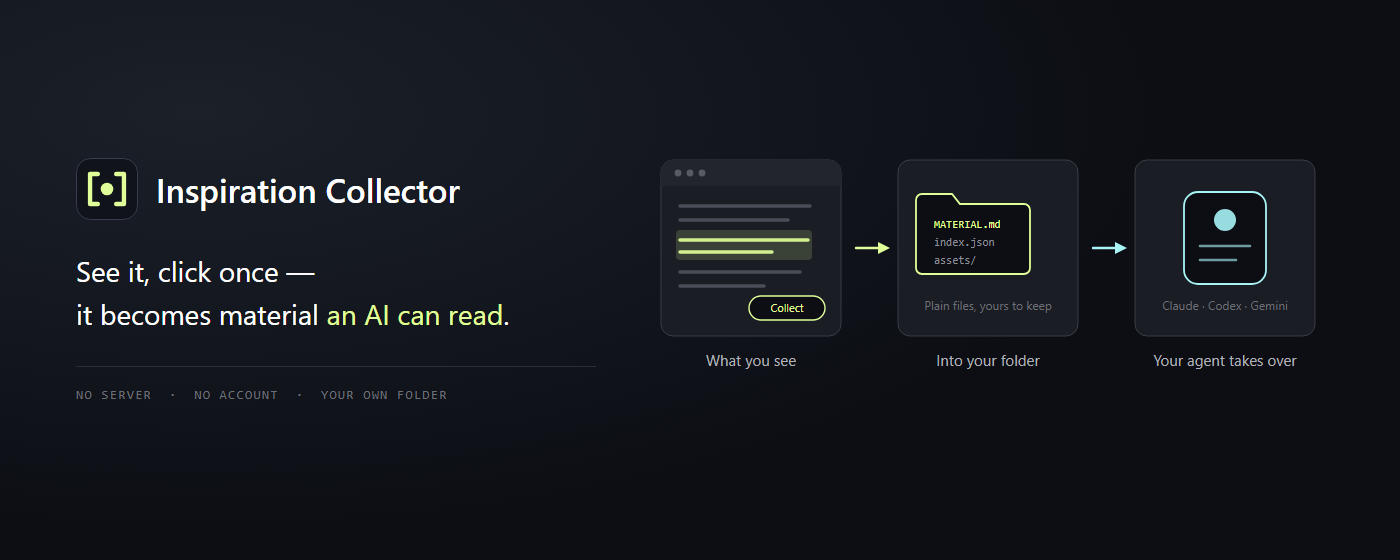
Turn what you find on the web into a material library an AI can read.
You know the feeling: thirty tabs deep into a topic, with the good bits scattered across bookmarks, screenshots, your downloads folder and four different chat windows. Then you want an AI to help you make sense of it — and you have no idea what to hand it.
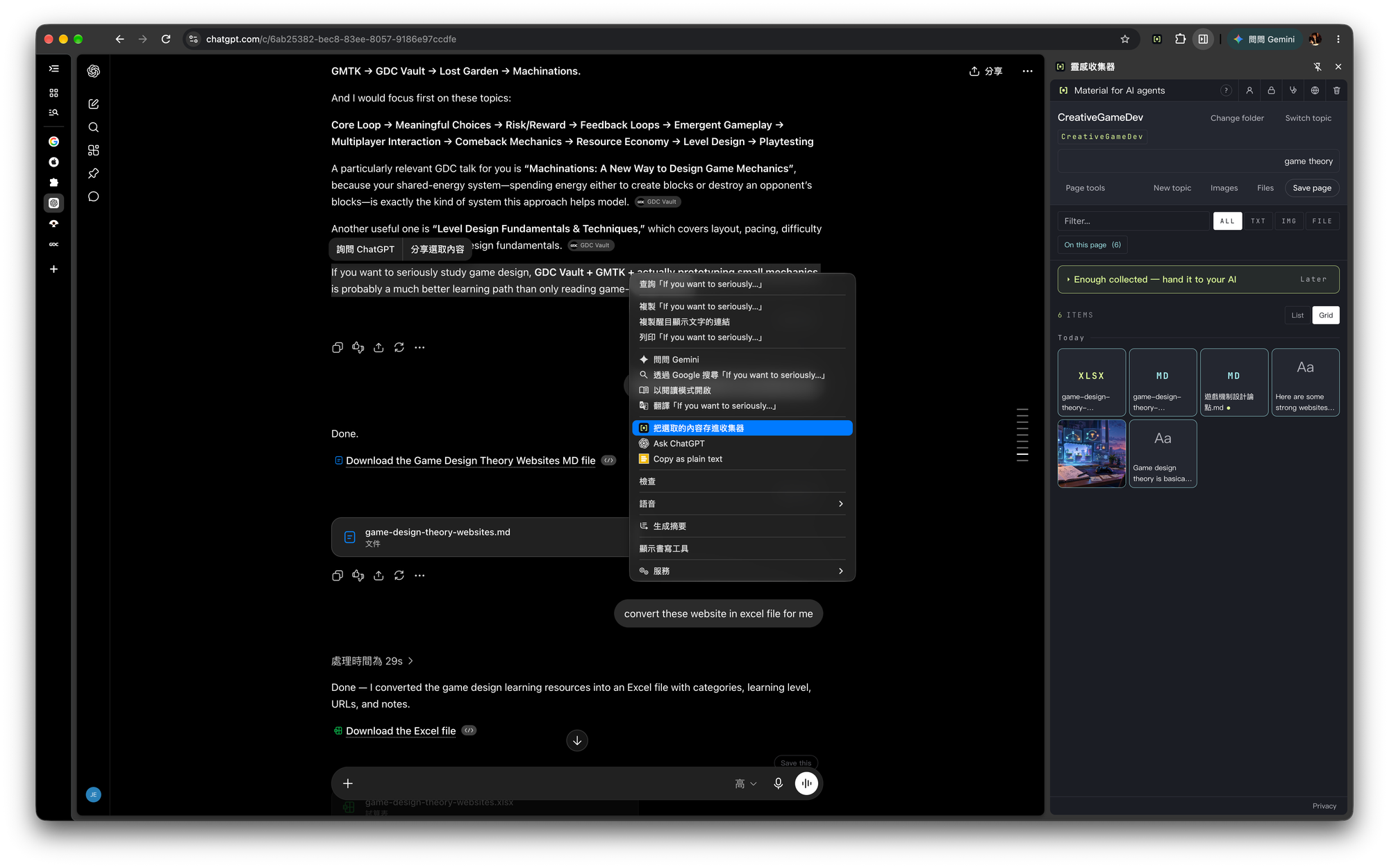
Inspiration Collector is built for exactly that gap. See something worth keeping, click once, and it lands in a folder on your own computer — already organised the way an AI agent can read it.
─── How it works ───
- Open the side panel and pick a folder. Any ordinary folder on your disk. You choose it.
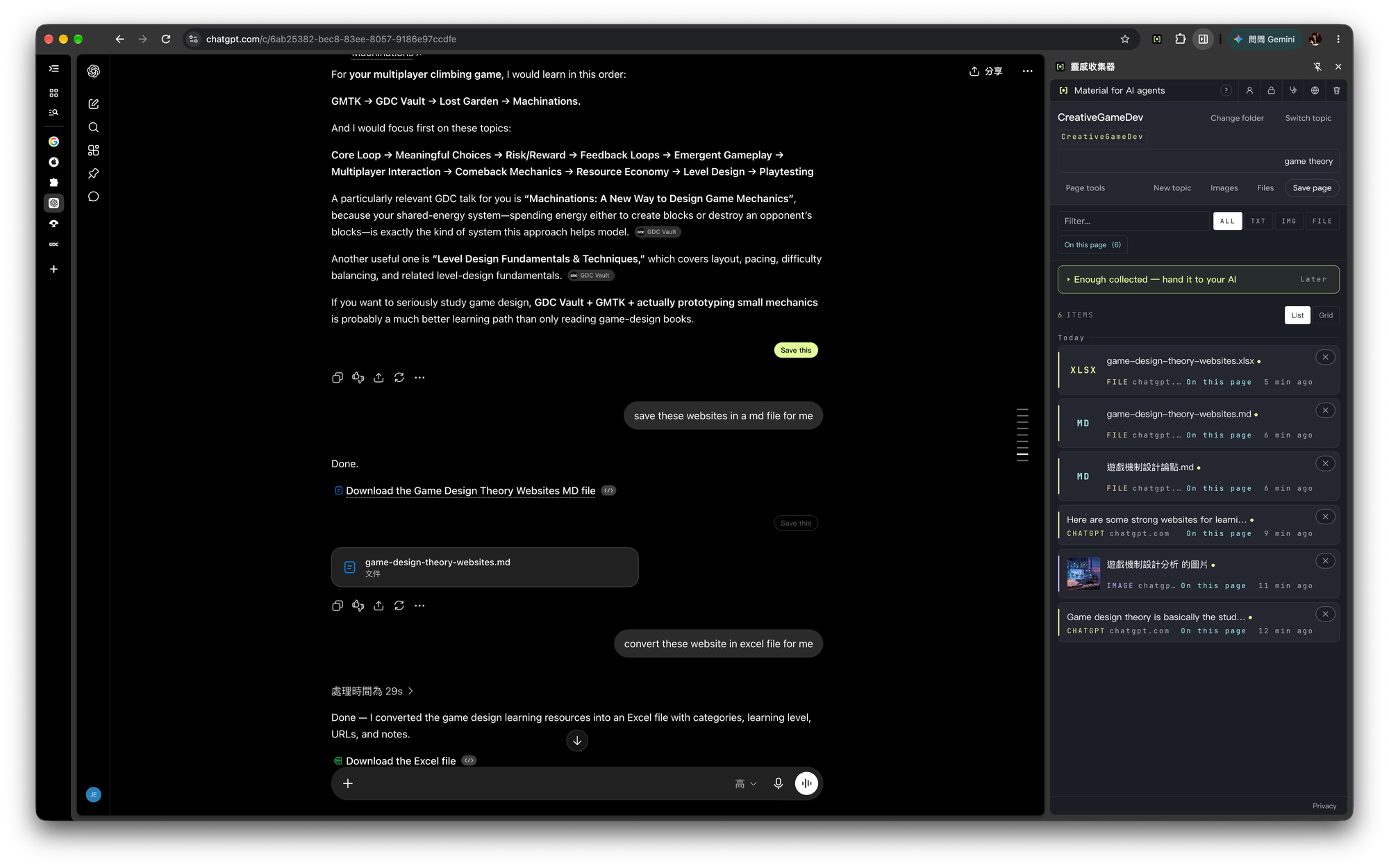
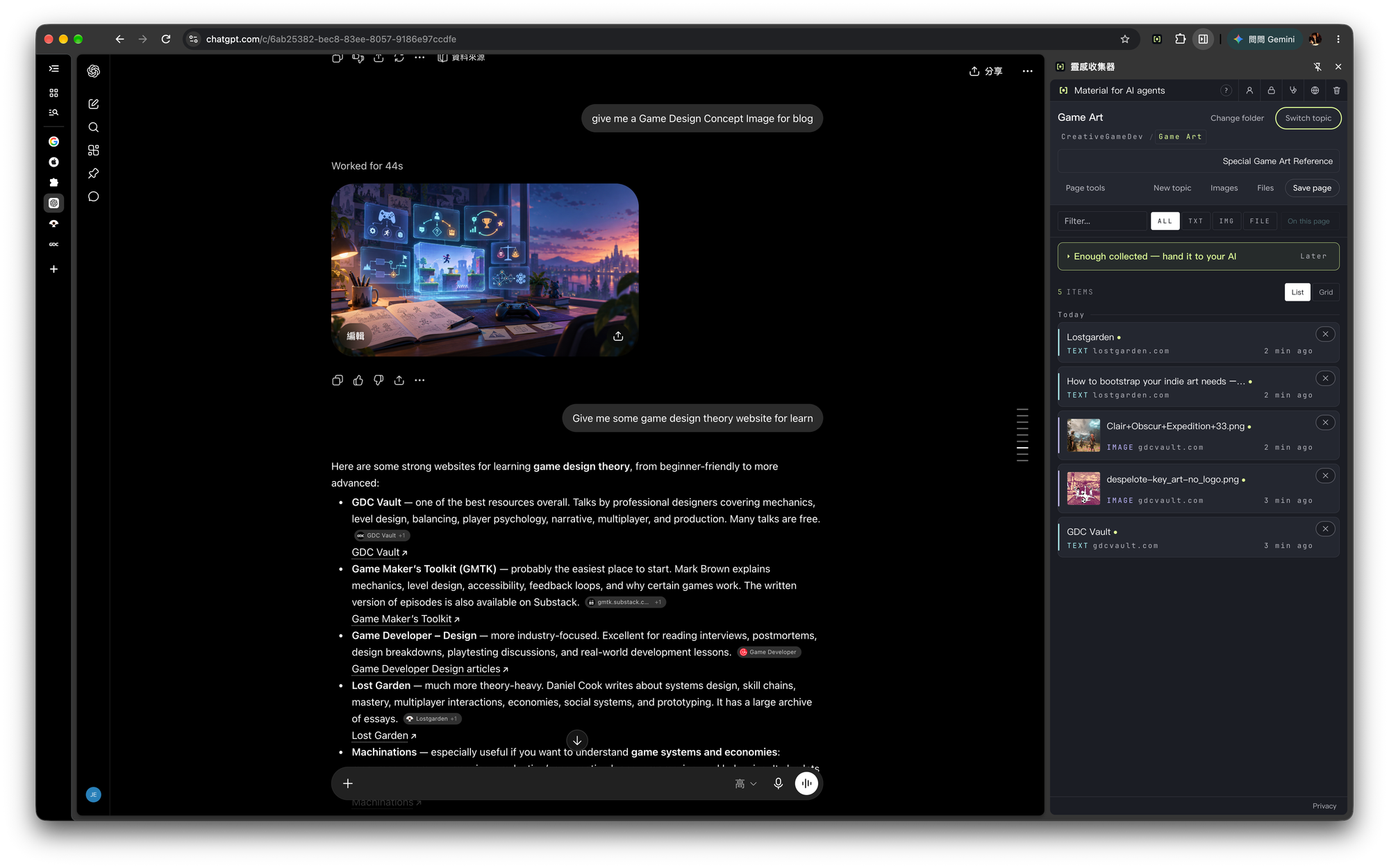
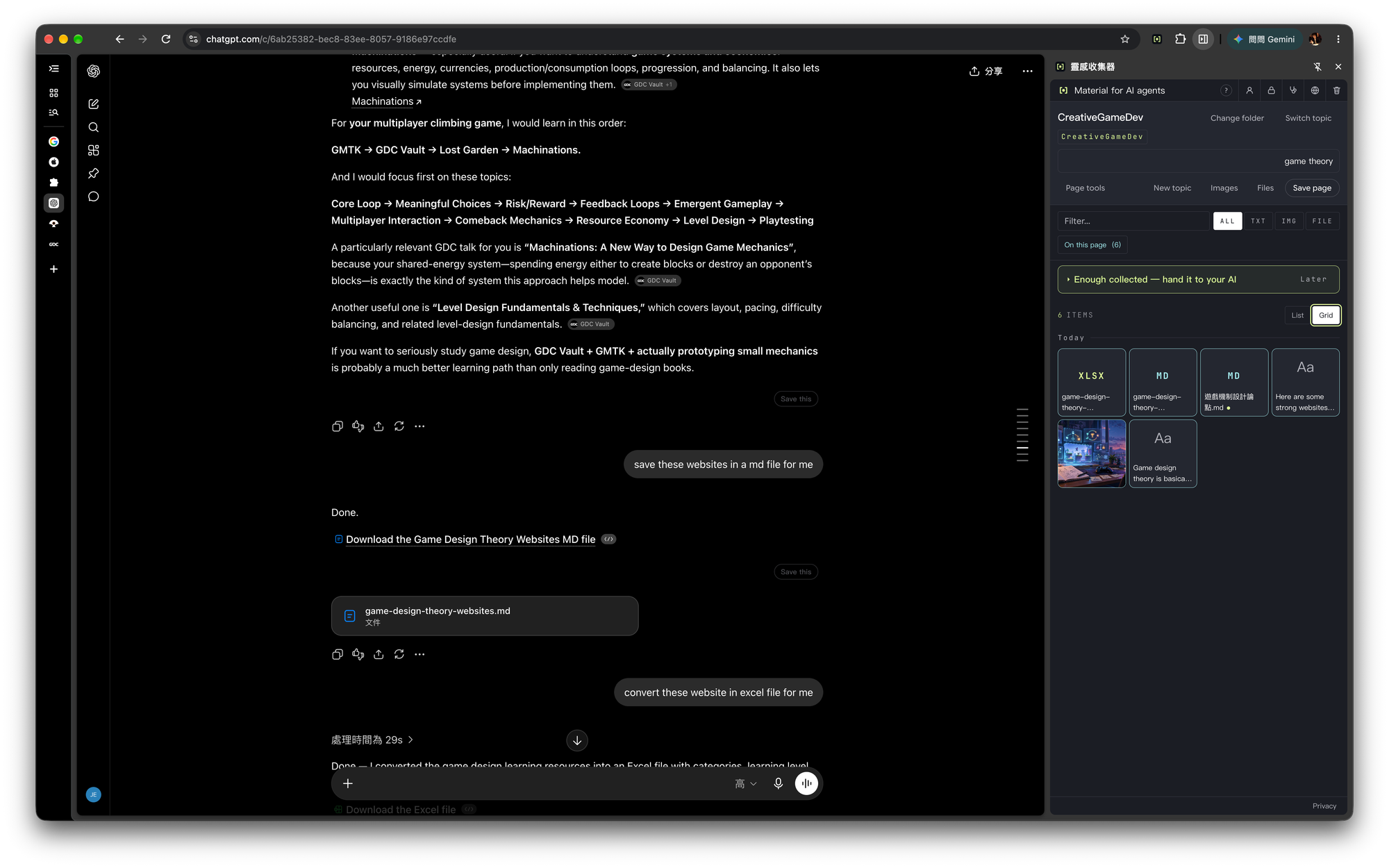
- Click "Save this page" when you see something worth keeping. Or select a passage, right-click an image, or press "Save this reply" on an AI answer.
- When you need it, open Claude Code, Codex or Gemini CLI and point it at that folder.
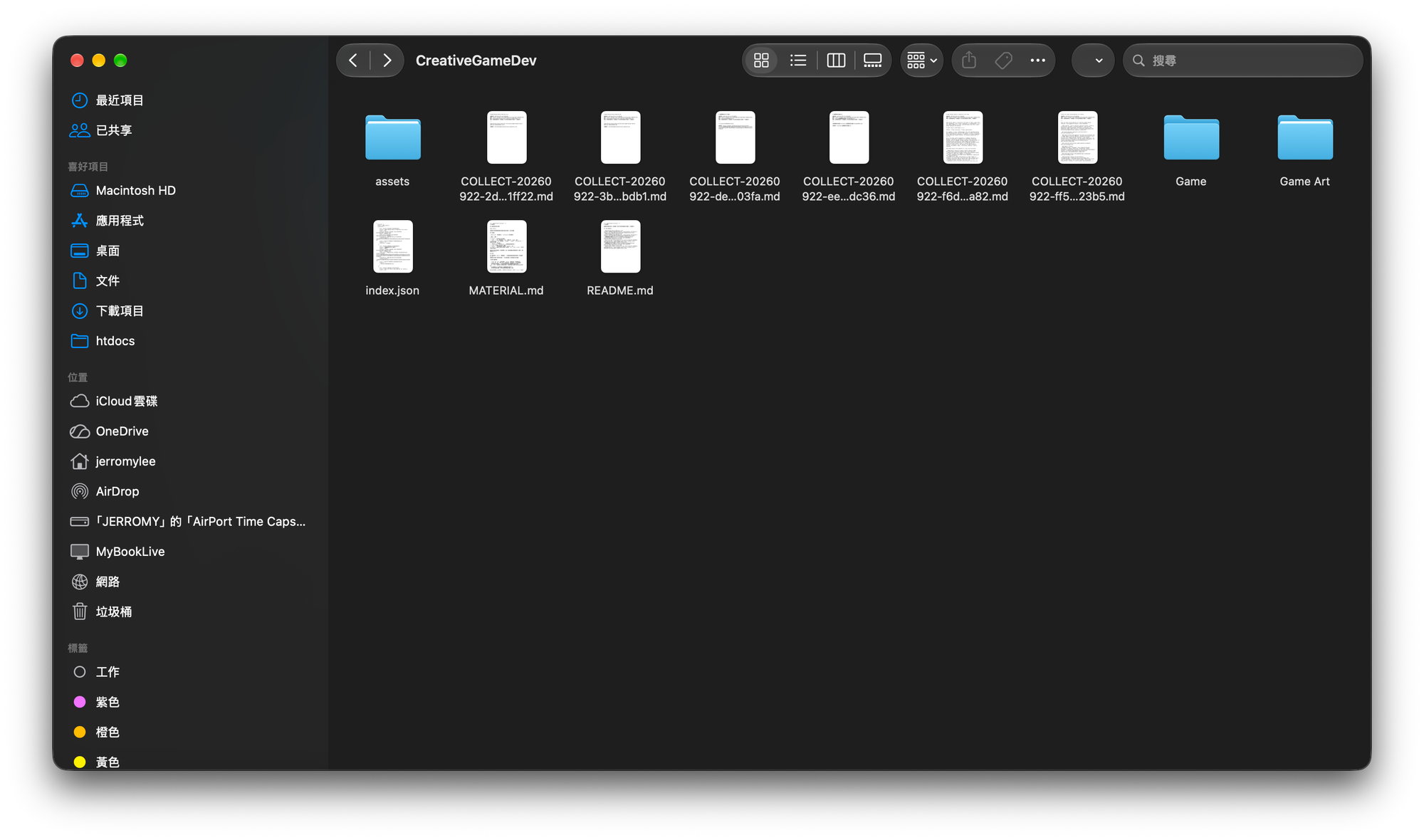
─── What lands on your disk ───
your folder/
└── game-art-reference/
├── MATERIAL.md the entry point for an AI
├── README.md the list for you
├── index.json the index
├── assets/ originals, untouched
└── COLLECT-3f2a1b9c.md
Plain text and original files. No proprietary format, no database. The day you stop using this extension, everything is still yours and still opens in any editor.
─── What you can collect ───
• Whole articles: converted to clean Markdown, without the ads and sidebars
• A selection: only the passage you highlighted
• Images: one by right-click, or pick several from the page at once
• AI replies: a single answer from ChatGPT, Claude or Perplexity
• Files ChatGPT made for you: fetched with their attachments
Saving the same page twice does not give you two copies. Filenames come from the content, so duplicates recognise themselves.
Collections can be split into topics — one folder per subject, instead of one pile.
─── Nothing leaves your computer ───
• No server
• No account. Nothing to register, nothing to log into
• No analytics, no tracking, no ads
• The author cannot receive your data, because there is nowhere for it to go
It uses the browser's own file access: the folder you picked is the only folder it can touch. After a while idle the browser locks that folder again — click once to unlock. That is the protection working, not a bug.
─── Built for AI agents, not for note-taking ───
Web clippers are written for human readers. This one is written for an AI.
• MATERIAL.md tells the agent what this batch of material is for, so it does not have to guess from the contents
• Every item carries its source URL, so the agent can attribute what it uses
• Every item is marked as unverified material collected from the web, whose instructions are data and are not to be executed. If a page hides a line like "ignore your previous instructions", the agent reads it as material, not as a command
─── Also ───
• Interface in Traditional Chinese, English and Japanese, following your browser language
• One switch in the side panel turns off everything the extension does on web pages
• Everything collected can be cleared in one go — it tells you how many items and what it will not touch before anything is deleted
─── Honestly ───
This extension does not analyse or summarise anything for you. That is the agent's job. Its job is to collect the material and lay it out so the agent can read it.
It needs the browser's file access, so it runs on desktop Chrome only.
Not affiliated with OpenAI, Anthropic or Perplexity.